Denry Okpor › Launch Your Venue › The app
The companion app to the bookOpen your café, bar, salon or spa without the costly mistakes.
Launch Your Venue turns the playbook from Denry Okpor’s book into tools you use every week until opening day.
Coming soon to the App Store and Google Play
Watch the trailer
From the book to the app in under a minute: the plan, the money tools, the Venue Designer and what Pro adds.
Opens on the real book cover, then real app screens with a fictional demo venue. Original music made for this trailer.
What it does for you
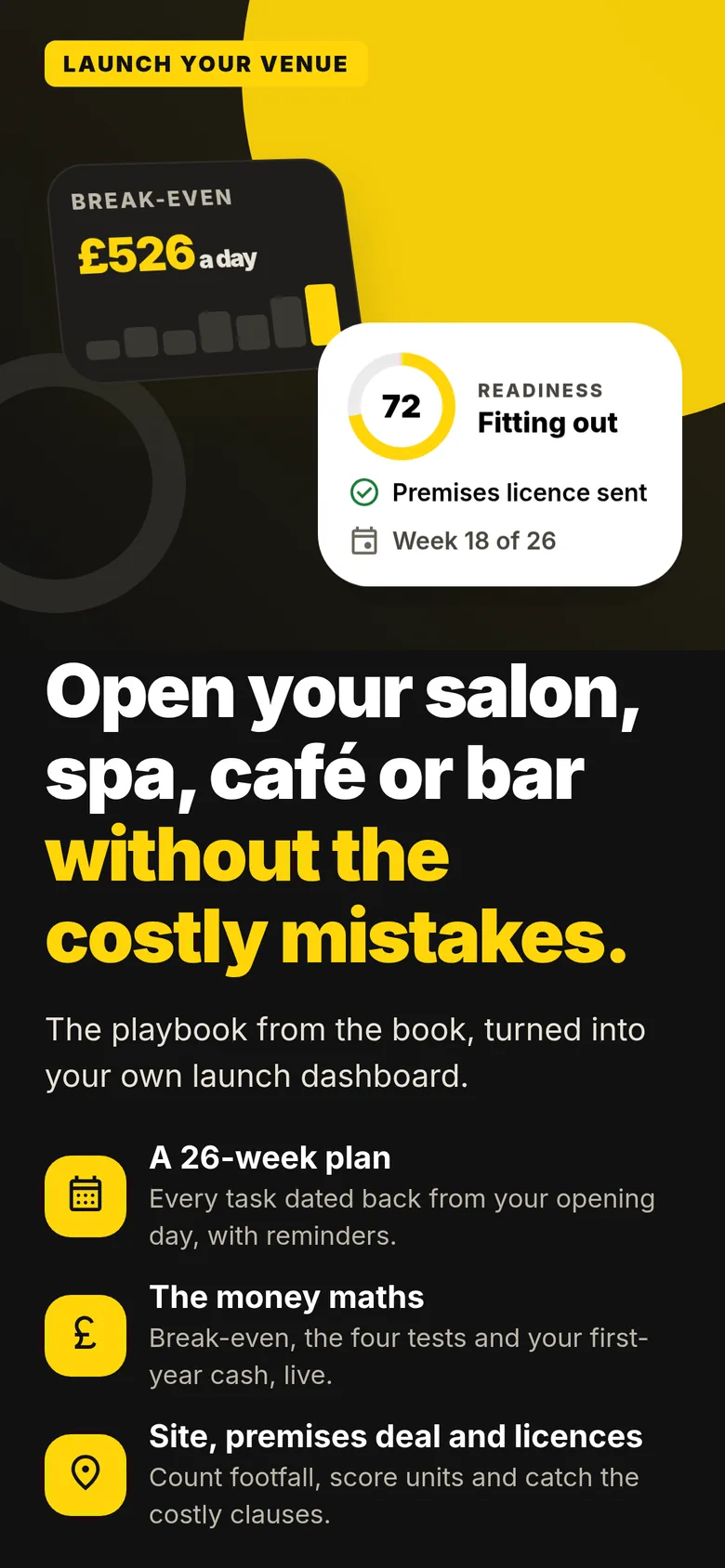
01 Venue profile Free
Set up in a minute
Pick what you are opening and when. Everything after that shows only what applies to your venue.
- Choose café, bar, restaurant, salon, spa or a hybrid, and add a venue name if you like.
- Pick an 18, 26 or 32-week run-up and an opening date. Every task is dated back from that day.
- Your dashboard is ready straight away: your tasks dated, hard deadlines flagged, a starting budget and the licences matched to your venue.
For your café: Choose Café and you get a starting budget with typical café costs and the tasks for a counter-service venue.
For your bar: Switch on “Selling alcohol?” and the premises licence (due by week 10) and the personal licence go straight into your plan.
For your salon: Choose Salon and the app follows a treatment-led venue, so pricing works as prices and services rather than a food menu.
For your spa: Spa is its own venue type, so the plan and starting budget follow a spa rather than a café.
02 Home Free
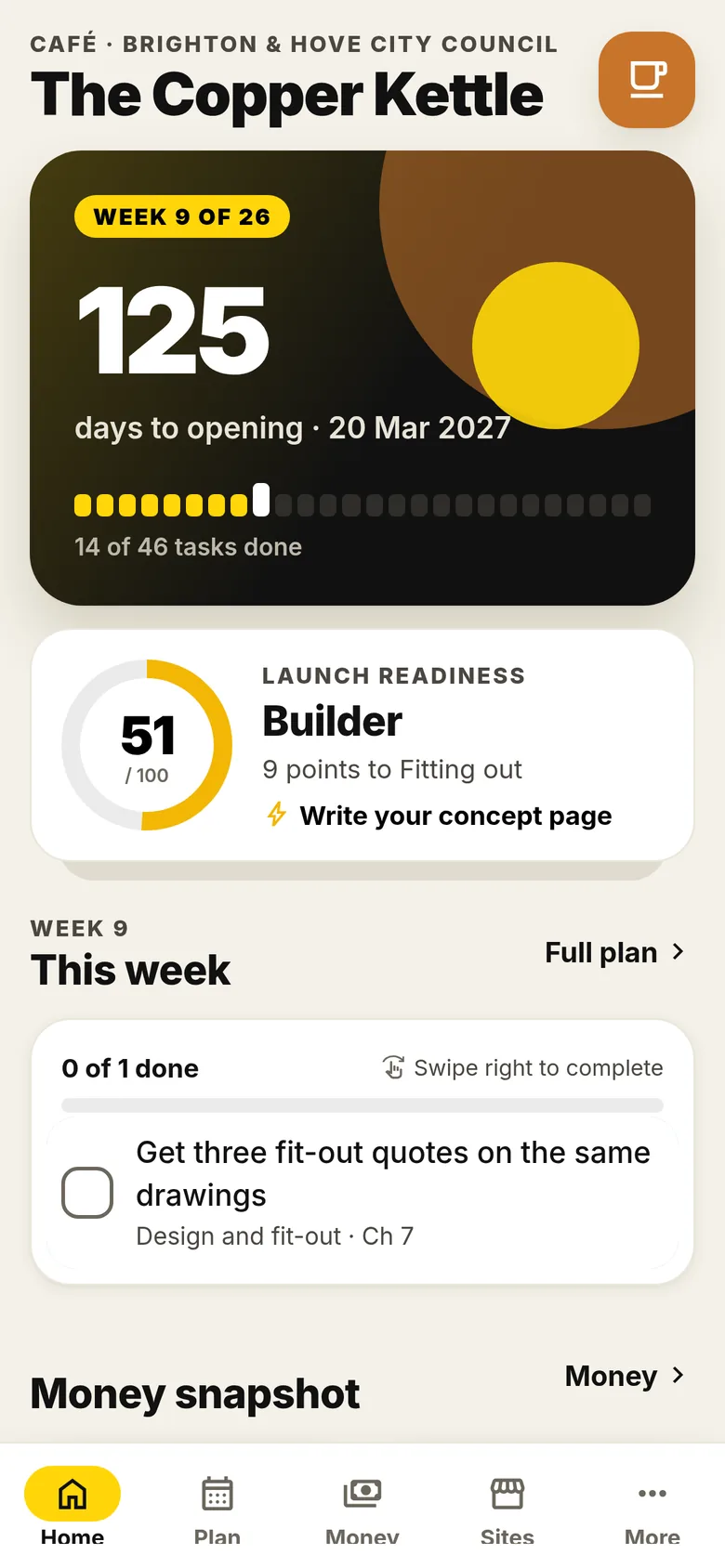
Your launch dashboard
Open the app and see exactly where you stand: days to opening, this week’s tasks and your launch readiness.
- A countdown to opening day, with a bar for each week of the plan.
- This week’s tasks up front. Swipe right to complete one.
- A launch readiness score that grows as you work through the plan, plus a tip of the day from the book.
- Quick actions for footfall, break-even, budget, checklists and interior design.
For your café: Know on a Monday morning exactly which jobs move your café forward this week.
For your bar: Keep the long-lead jobs for a bar, like licensing, in view from week one.
For your salon: Keep the fit-out, kit and pricing jobs for your salon in the right order.
For your spa: See your spa’s whole run-up at a glance, not scattered across notes and spreadsheets.
03 Plan Free
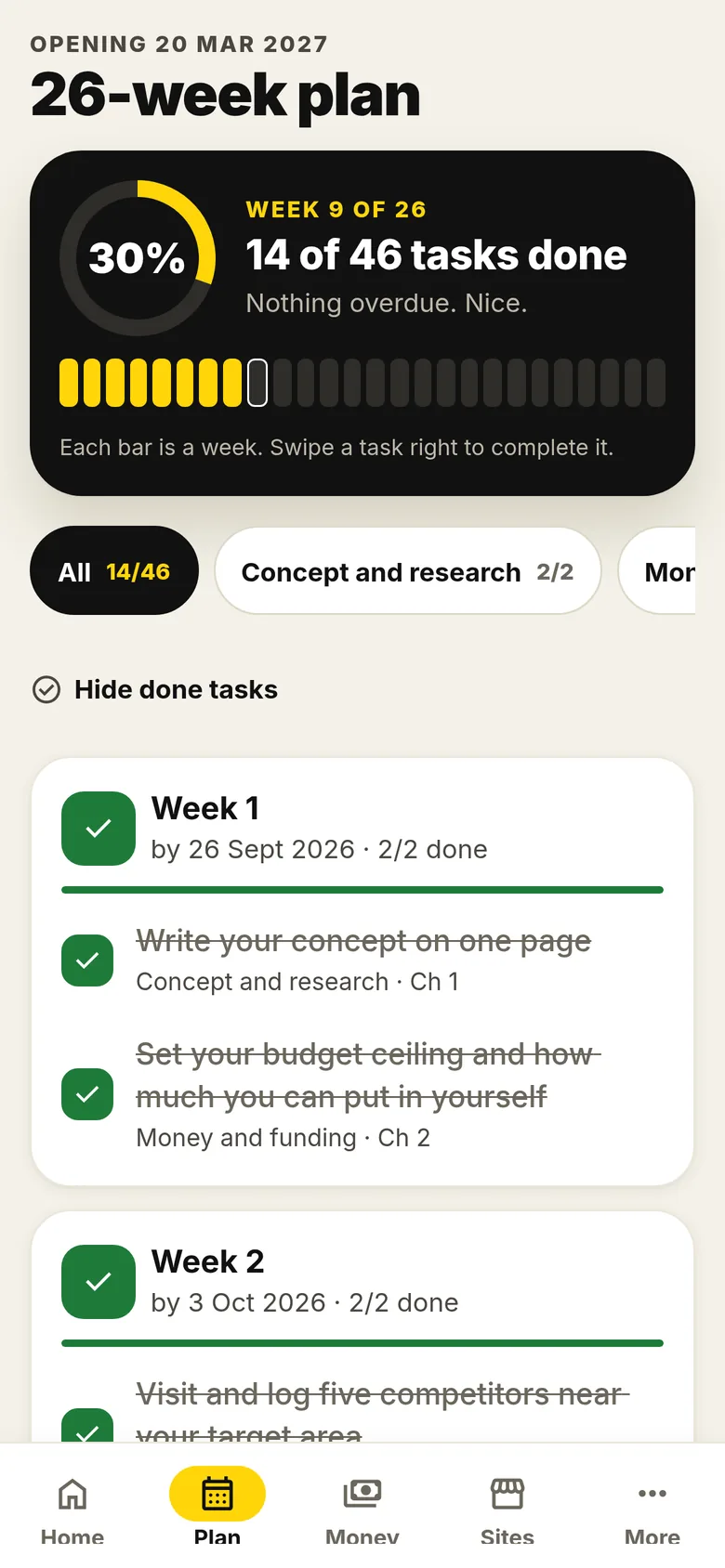
The 26-week plan
The book’s week-by-week sequence, dated back from your opening day, with reminders.
- Every task has a week and a date, linked to the chapter of the book it comes from.
- Reminders when a new week starts and warnings three days before a deadline.
- Filter by stage, hide what’s done and see at a glance if anything is overdue.
For your café: Concept, competitors, money, site, fit-out, kit and launch, in the order a café needs them.
For your bar: Licensing tasks land early enough to be ready before opening night.
For your salon: From concept to first client, each step lands in the right week.
For your spa: Plan a longer fit-out by choosing the 32-week run-up.
04 Money Free
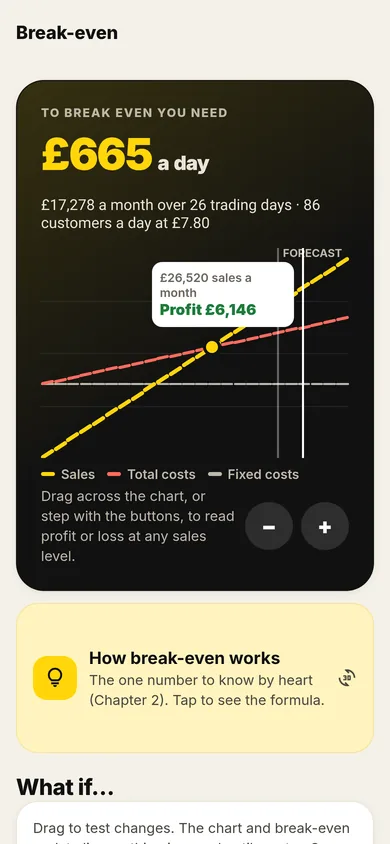
Break-even, live
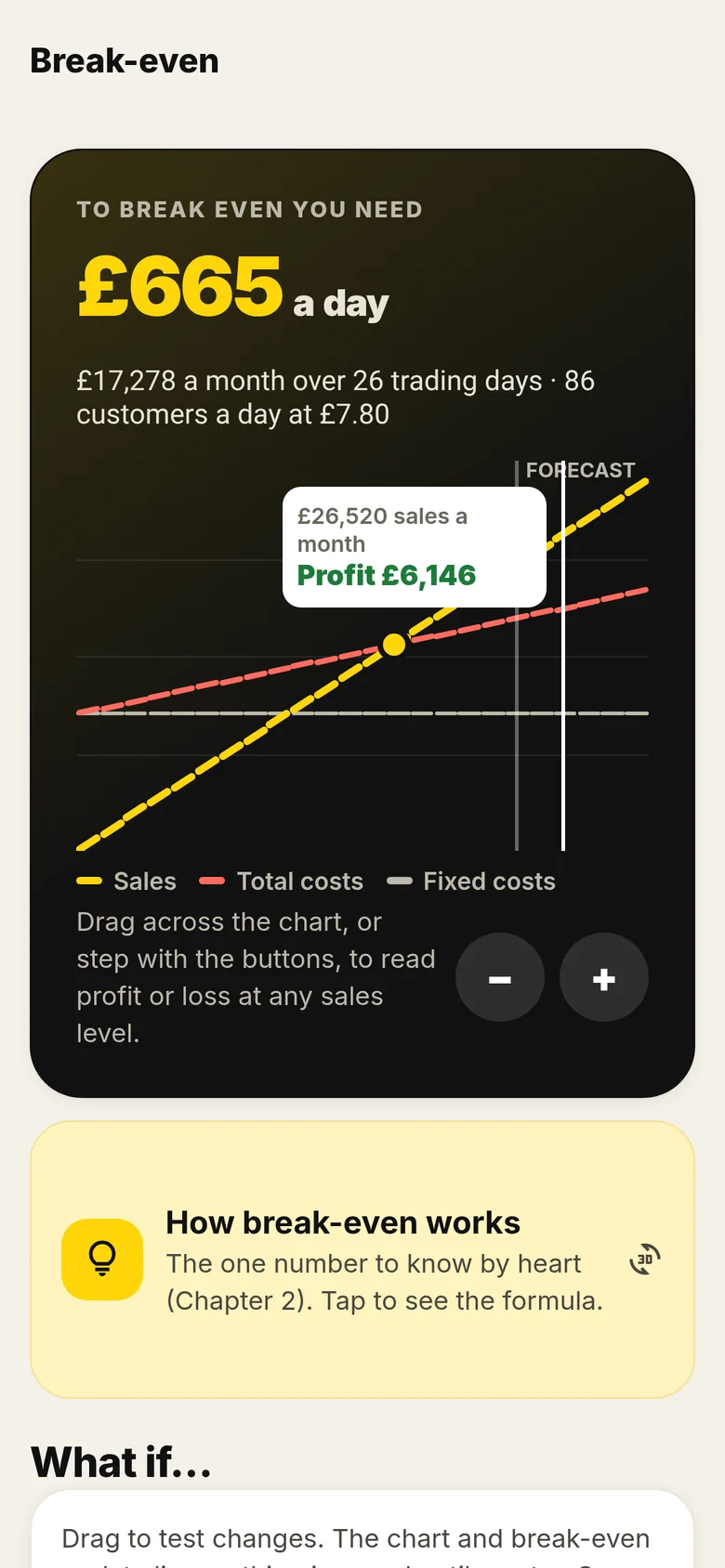
The one number to know by heart: the sales you need each day to cover your costs.
- See the sales you need a day, a month and in customers a day.
- Drag across the chart to read profit or loss at any sales level.
- What-if sliders for rent, wages, gross margin, average spend and forecast sales. Nothing is saved until you tap Save.
- The four tests your forecast has to pass, from the book.
For your café: Turn “Can I afford this unit?” into how many customers a day at your average spend.
For your bar: Test what a change in gross margin or average spend does to your nightly target.
For your salon: Work out how many paying clients a day it takes before you make money.
For your spa: Check that a higher-spend, lower-volume model still covers wages and fixed costs.
05 Money Free
First-year cash
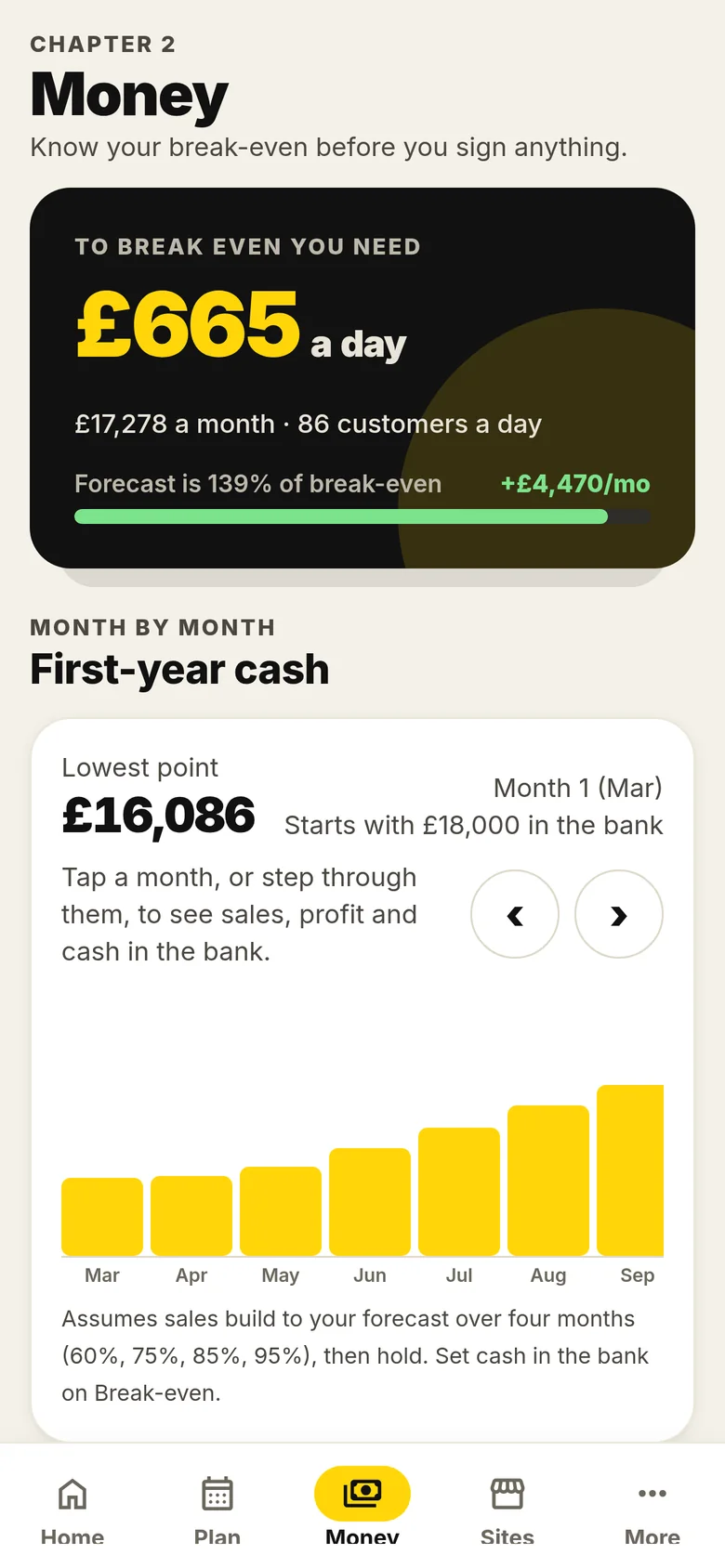
Month by month, see how much cash you have and when it runs lowest.
- Your first year of trading as a bar chart, starting from the cash in the bank.
- The lowest point is called out, so you know how much working capital to hold back.
- Tap a month to see sales, profit and cash. Sales build to your forecast over the first four months.
For your café: See whether the quiet early months will squeeze your café before trade builds.
For your bar: Plan for the months before regulars find you.
For your salon: See how long it takes for a new client book to carry the costs.
For your spa: Check you can carry the early months of a bigger fit-out.
06 Money Free
Startup budget
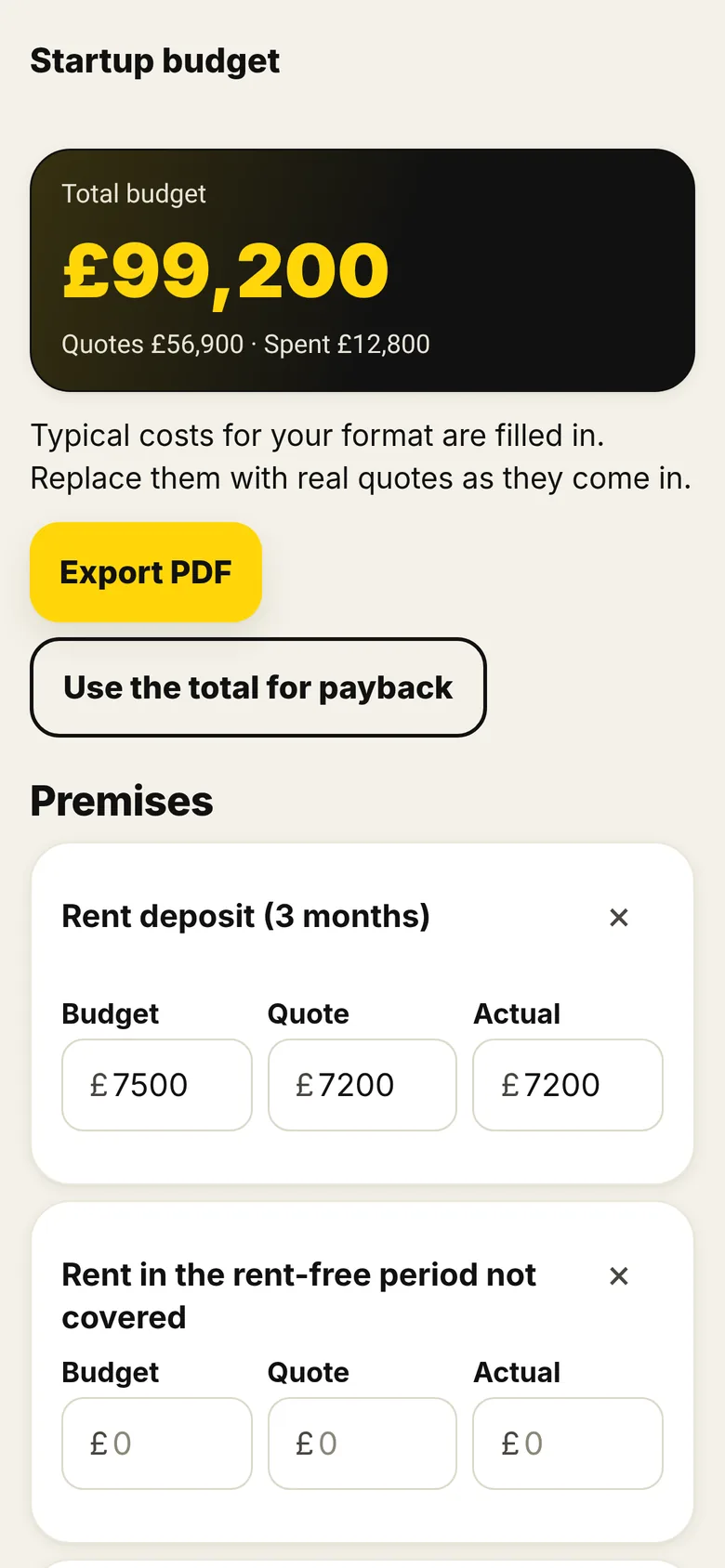
A full startup budget with typical costs for your type of venue already filled in.
- Typical costs for your format are filled in to start with.
- Replace them with real quotes, then actual spend, as they come in.
- Use the total to work out payback. Fit-out items from the Venue Designer drop straight in.
Pro PDF export of your budget is Pro.
For your café: Start from typical café costs instead of a blank spreadsheet.
For your bar: See the full cost of opening before you commit, then track quotes against it.
For your salon: Track kit, fit-out and opening costs for your salon in one place.
For your spa: Keep a bigger budget under control line by line.
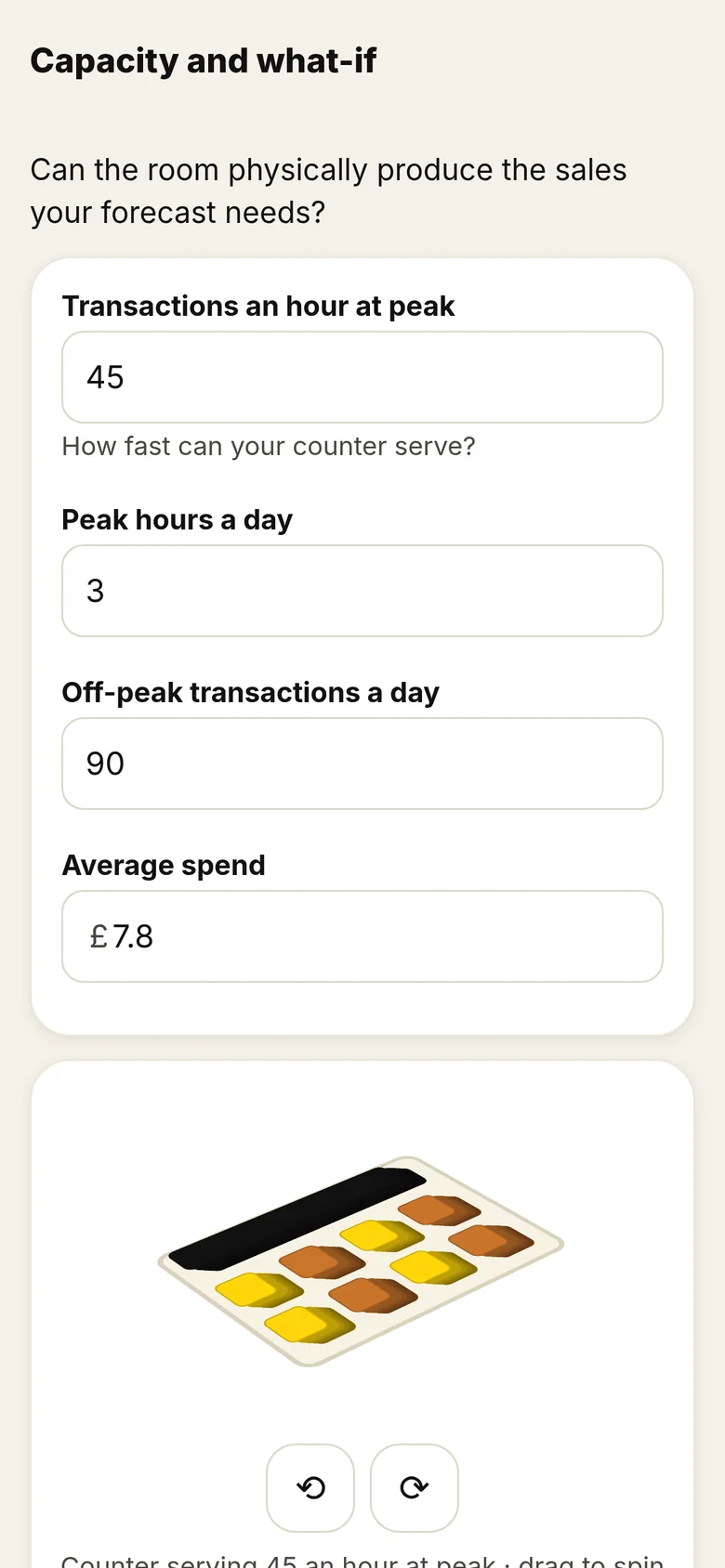
07 Money Free
Capacity check
Can the room actually produce the sales your forecast needs?
- Enter transactions an hour at peak, peak hours, off-peak trade and average spend.
- A simple 3D picture of the counter shows what your peak means in practice.
- Spot a forecast the room or the team physically can’t deliver, before you commit.
For your café: Check your counter can serve your peak-hour queue.
For your bar: Check the bar can pour fast enough on your busiest nights.
For your salon: Check your chairs and hours can deliver the appointments you need.
For your spa: Check your rooms and hours can deliver the treatments you need.
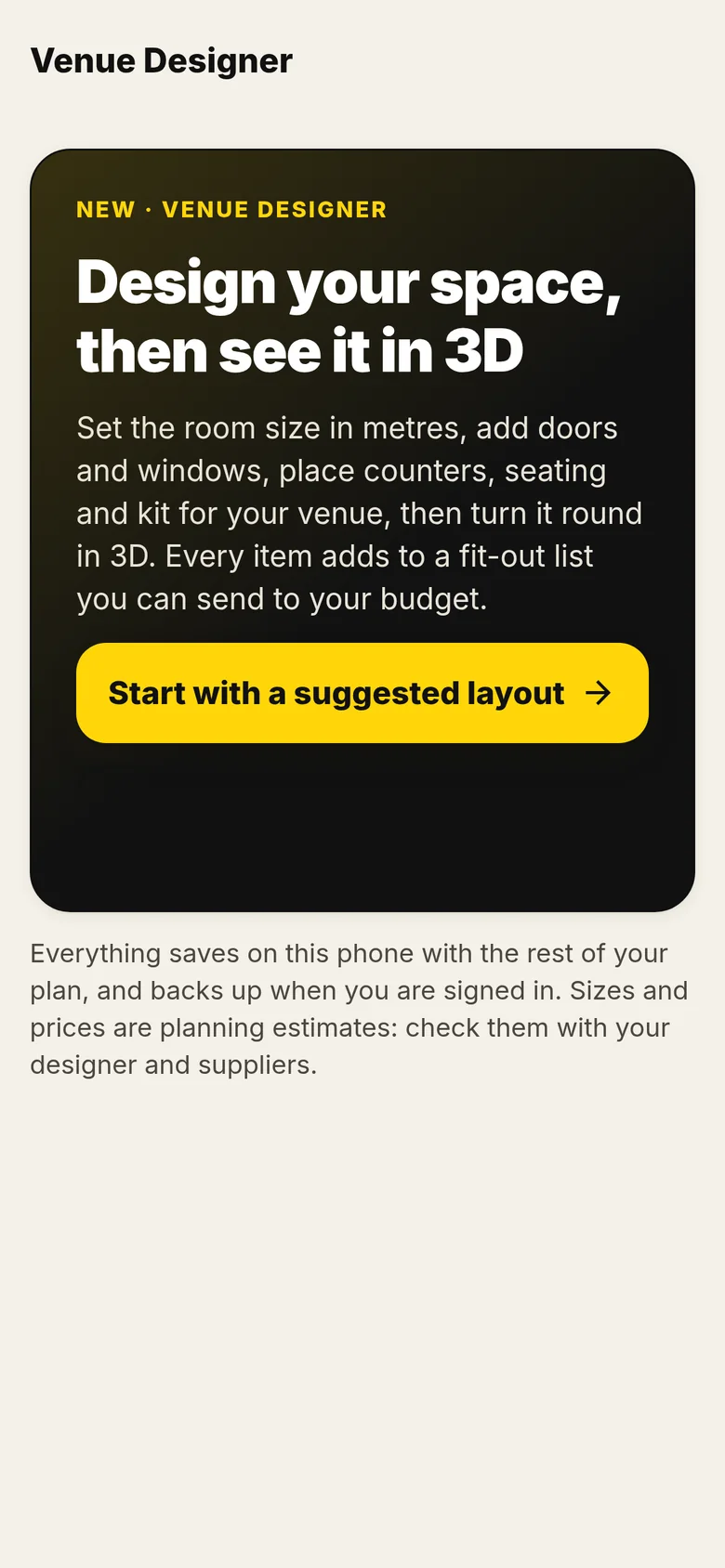
08 Design Free
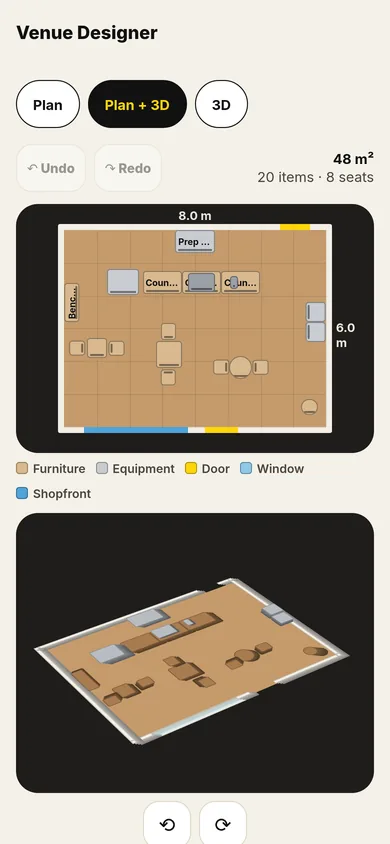
Venue Designer
Design your space, then see it in 3D, and send the fit-out to your budget.
- Set the room size in metres, add doors and windows, and place counters, seating and kit.
- See it as a plan, in 3D, or both, and drag items into place.
- Pick floor and wall finishes.
- Every item has an estimated price. Send the fit-out list to your budget in one tap, then replace estimates with quotes.
For your café: Start with a suggested café layout and move the counter, seating and kit until it works.
For your bar: Try out where the bar, seating and back-of-house go before you brief a designer.
For your salon: Lay out stations and reception and see how many fit in the room.
For your spa: Block out treatment areas and reception, then cost the fit-out.
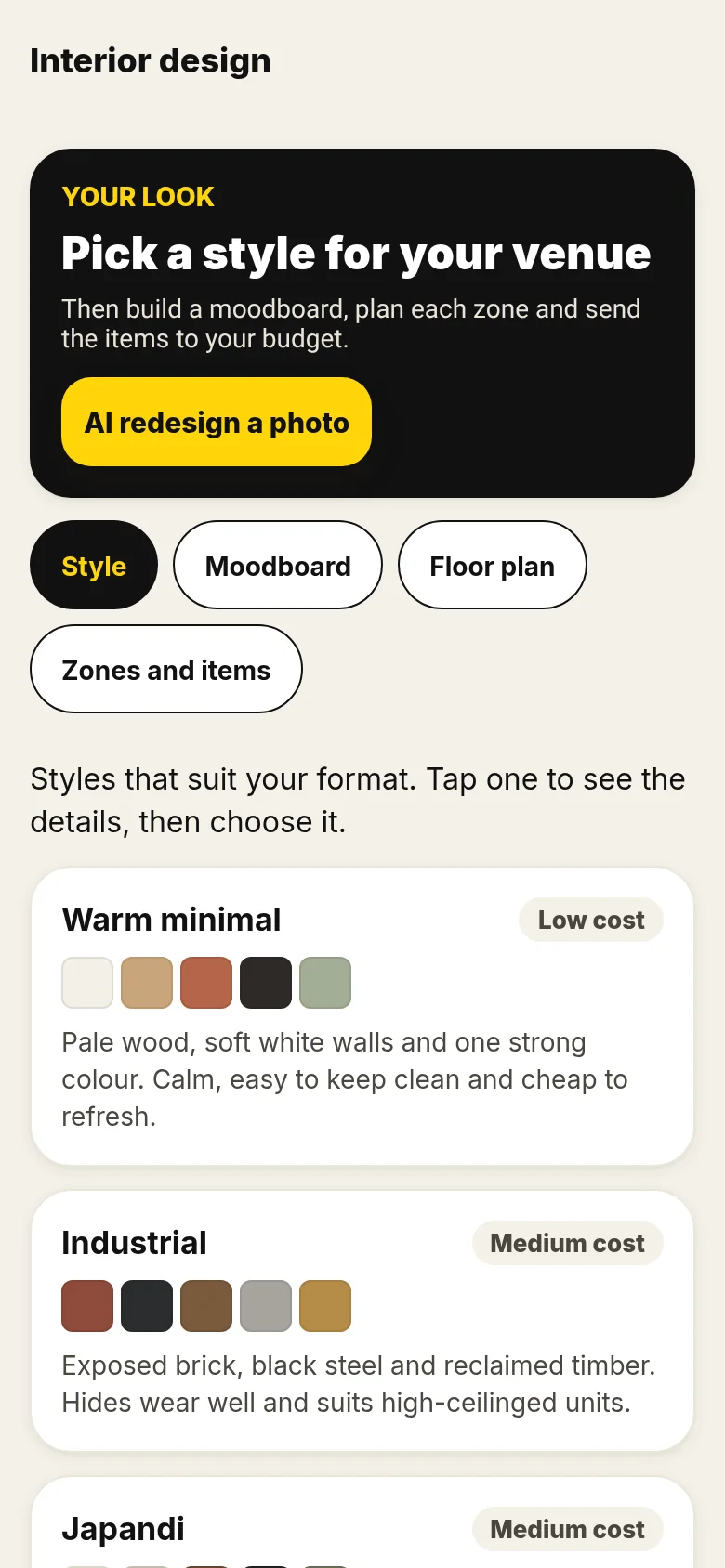
09 Design Free
Interior styles and moodboard
Pick a style that suits your venue, build a moodboard and plan each zone.
- Styles that suit your format, each with a colour palette and a cost guide.
- A moodboard, zones and items, and a floor plan you can block out quickly.
- Items go straight into your budget.
Pro AI redesign (see a photo of your empty unit in a new style) is Pro.
For your café: Choose a look that’s cheap to keep clean and works with a counter queue.
For your bar: Explore darker, harder-wearing looks and what they cost.
For your salon: Find a calm, easy-to-clean look for treatment areas.
For your spa: Build a moodboard for a calm space before you brief anyone.
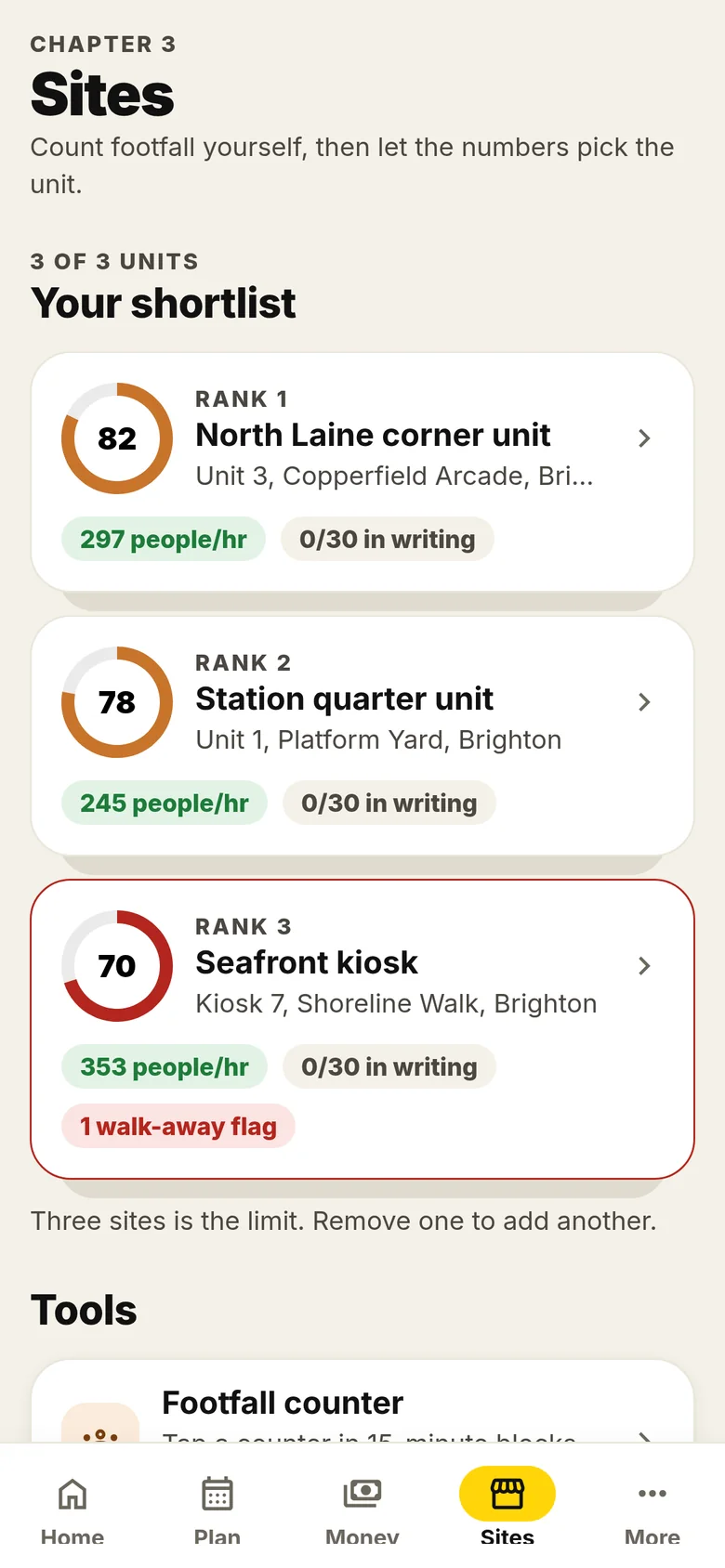
10 Sites Free
Sites and footfall
Count footfall yourself, then let the numbers pick the unit.
- Shortlist up to three units.
- Count passers-by outside each one in 15-minute blocks with the footfall counter.
- See likely customers a day against your break-even, and compare units on numbers rather than gut feel.
Pro The site scorer and the 30 questions to get answered in writing are Pro.
For your café: Count the morning commute outside each unit before choosing.
For your bar: Count the evening trade, not just the daytime footfall.
For your salon: Check who actually walks past at the times you’ll be open.
For your spa: Compare units on the numbers before you commit.
11 Sites Pro
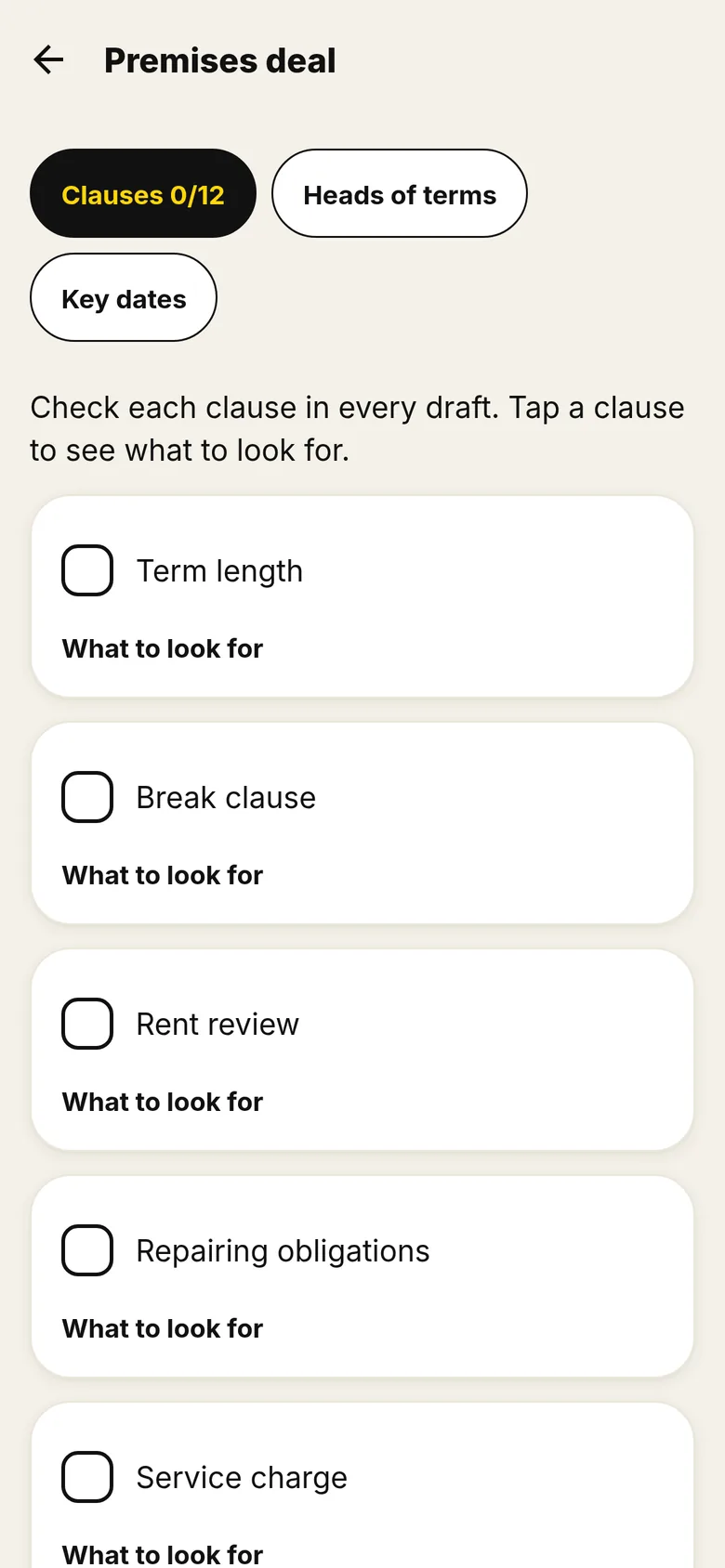
Premises deal checker
Know the deal before you commit to a site.
- Go through the key terms of the deal one by one: tap a term to see what to look for and the risk.
- Note the terms you have agreed and export them as a PDF to take to your solicitor.
- Add key dates and get a reminder before each notice deadline.
For your café: Check the deal gives you enough time to fit out before you start paying full rent.
For your bar: Check the permitted use covers selling alcohol, now and later.
For your salon: Check the permitted use allows treatments, now and later.
For your spa: Check who pays for repairs before you commit to a bigger fit-out.
12 Progress Free
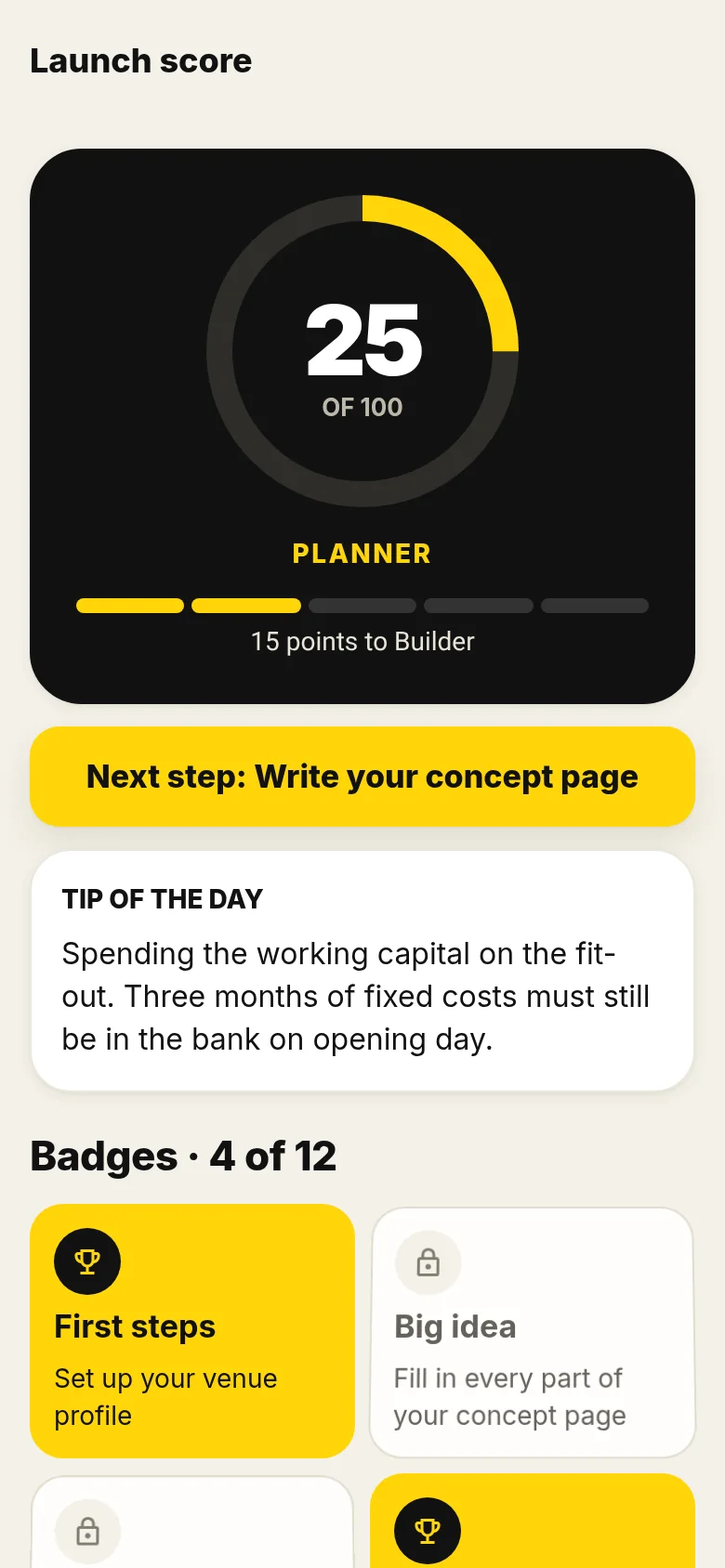
Launch score, badges and quiz
See your progress, and test what you know before you spend.
- A launch score out of 100 that moves you from Planner upwards as you complete the plan.
- Badges for each stage, and a next step that tells you what to do now.
- An opening quiz built from the book’s chapters, with the answer explained.
13 Pro Pro
What Pro adds
The plan and the everyday tools stay free. Pro adds the tools for the big decisions: pricing, wages, licences and lender-ready PDFs.
- The 20%-low stress test: what happens if sales come in 20% below forecast
- Site scorer and ranking, with the 30 questions to get answered in writing
- Premises deal checker: the key terms to check before you commit to a site, agreed terms as a PDF, and key-date reminders
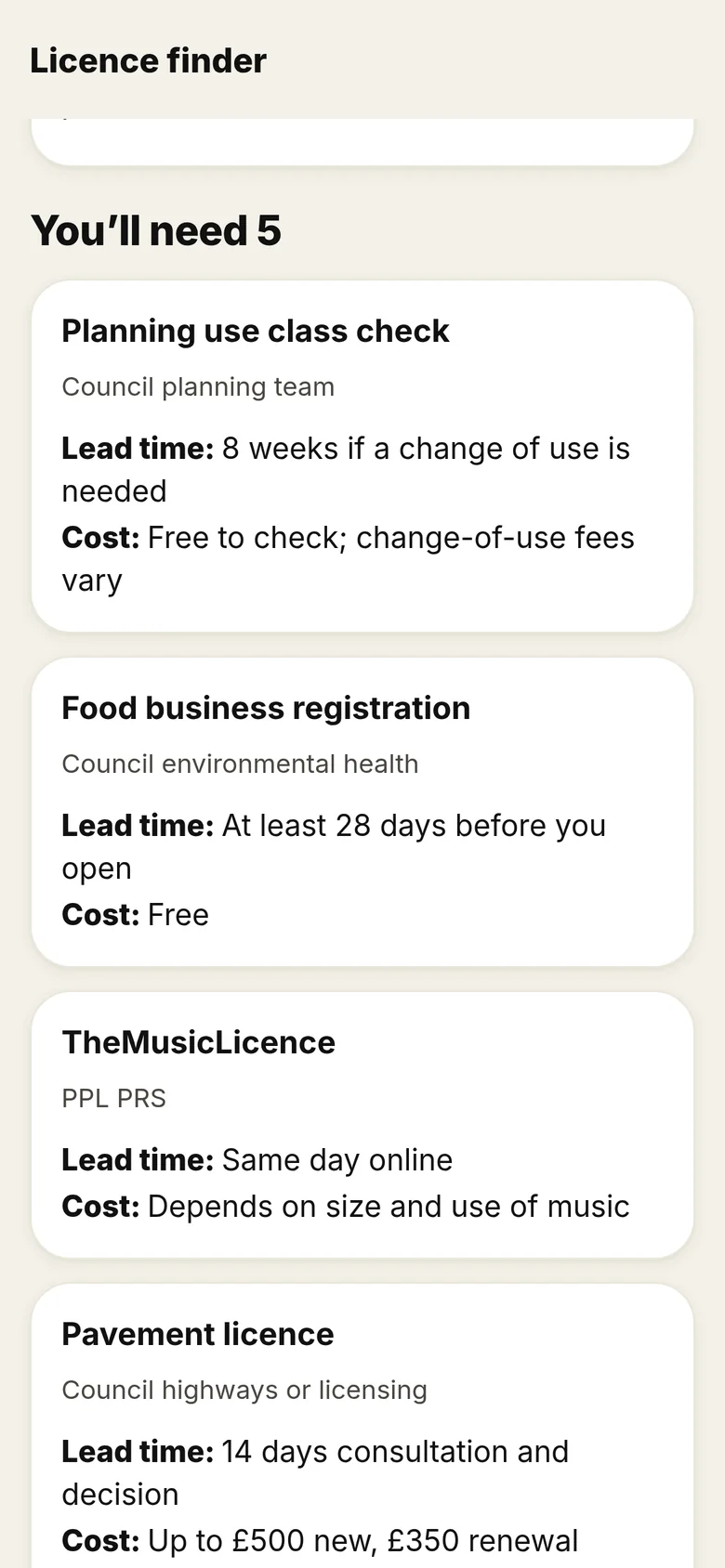
- Licence finder with 2026 costs and lead times, matched to your venue type, plus a business rates and relief estimate
- Prices and menu grid (prices and services for salons and spas), with the price finder
- Team and rota: wage cost including National Insurance and pension
- AI redesign: see a photo of your empty unit in a new style
- Every template A1–A12 and the rest of the checklists
- PDF export of your budget and site comparison
£7.99 a month or £39.99 a year, with a 7-day free trial for new subscribers.
Screens are real captures from a web build of the app, using a fictional demo venue, so the figures are examples only. 3D views are shown in the web version; screens may change before launch.
Start free. Go Pro when the big decisions come.
Your plans stay on your phone and the app works offline. No account needed: sign in with an email code only if you want to sync between devices or use AI redesign.
| Feature | Free | Pro |
|---|---|---|
| Venue profile for café, bar, restaurant, salon, spa or hybrid | ✓ | ✓ |
| The 26-week plan, dated from your opening day, with reminders | ✓ | ✓ |
| Launch dashboard and launch score | ✓ | ✓ |
| Break-even, the four forecast tests and what-if sliders | ✓ | ✓ |
| First-year cash | ✓ | ✓ |
| Startup budget with typical costs | ✓ | ✓ |
| Capacity check | ✓ | ✓ |
| Venue Designer: layout, 3D, finishes and fit-out costs | ✓ | ✓ |
| Interior styles and moodboard | ✓ | ✓ |
| Footfall counter and site shortlist | ✓ | ✓ |
| Concept page, competitor log, kit list and lender summary | ✓ | ✓ |
| Opening quiz, badges and playbook search | ✓ | ✓ |
| Checklists for chapters 1 to 3 | ✓ | ✓ |
| The 20%-low stress test: what happens if sales come in 20% below forecast | — | ✓ |
| Site scorer and ranking, with the 30 questions to get answered in writing | — | ✓ |
| Premises deal checker: the key terms to check before you commit to a site, agreed terms as a PDF, and key-date reminders | — | ✓ |
| Licence finder with 2026 costs and lead times, matched to your venue type, plus a business rates and relief estimate | — | ✓ |
| Prices and menu grid (prices and services for salons and spas), with the price finder | — | ✓ |
| Team and rota: wage cost including National Insurance and pension | — | ✓ |
| AI redesign: see a photo of your empty unit in a new style | — | ✓ |
| Every template A1–A12 and the rest of the checklists | — | ✓ |
| PDF export of your budget and site comparison | — | ✓ |
Free
£0
The plan, the money tools, the Venue Designer and more. No account needed.
Pro monthly
£7.99 / month
7-day free trial for new subscribers.
Pro annual
£39.99 / year
7-day free trial for new subscribers. Works out at about £3.33 a month.
Got the book? Get 3 months of Pro free.
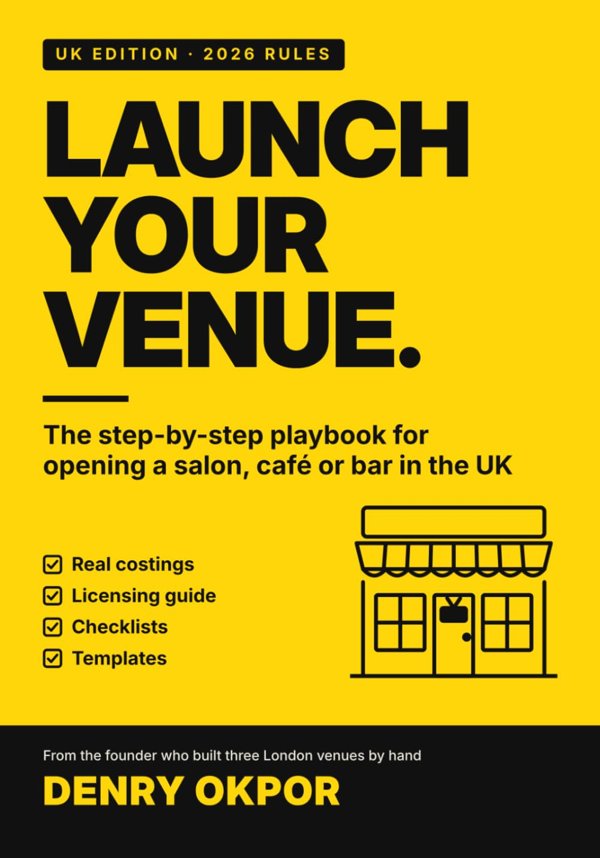
Paperback owners get 3 months free of Pro Annual. New subscribers only; then £39.99 a year unless cancelled.
Pro is an auto-renewing subscription bought through the App Store or Google Play. It renews unless cancelled at least 24 hours before the end of the trial or period; manage or cancel in your account settings. See the terms of use and the privacy policy. General planning guidance, not legal, financial or licensing advice.
Coming soon to the App Store and Google Play
Built from the step-by-step playbook in Launch Your Venue, written by Denry Okpor from founding and running several businesses. The book is out now.